
Download Prevent Restore – secure file deletion, data erasure, file shredding, disk overwrite, privacy protection, sensitive data, prevent recovery, permanent deletion, data security, secure erase
Overview
Prevent Restore is a specialized Android application designed to ensure that deleted files cannot be recovered, offering a robust solution for users concerned with data privacy and digital security. The app functions by overwriting the storage space previously occupied by deleted files, making data recovery impossible through standard or advanced recovery tools. This capability is especially critical for individuals and organizations handling sensitive information, such as financial records, personal documents, or confidential business data.
By targeting free disk space where remnants of deleted files may remain, Prevent Restore performs a systematic analysis to identify and overwrite these areas. This process helps eliminate the risk of data leakage, particularly when selling, donating, or recycling devices. The app is developed by Jason K. Menard, who has focused on creating a straightforward yet powerful tool for secure data disposal.
Target users include privacy-conscious individuals, professionals in regulated industries, and anyone seeking to maintain control over their digital footprint. Real-world use cases include preparing a smartphone for resale, ensuring that personal photos or messages are permanently erased, or complying with data protection policies. In the broader app ecosystem, Prevent Restore fills a niche role as a utility that enhances device security beyond standard deletion methods.
The developer did not provide additional technical details regarding performance benchmarks or integration with other security tools. However, the app’s core functionality is clearly defined: to deliver permanent, irreversible file deletion through secure overwrite techniques.
Key Features & Functionality
- Secure File Deletion: When a file is deleted through Prevent Restore, it is not merely moved to a recycle bin but is permanently erased by overwriting its storage location. This prevents recovery via software or hardware-based data recovery methods.
- Free Space Analysis: The app scans the device’s free storage space to locate areas where deleted files may still be recoverable. This ensures that all potentially sensitive data fragments are targeted for overwrite.
- User-Friendly Interface: Designed for accessibility, the app features an intuitive layout that allows users of all experience levels to initiate secure deletion with minimal steps.
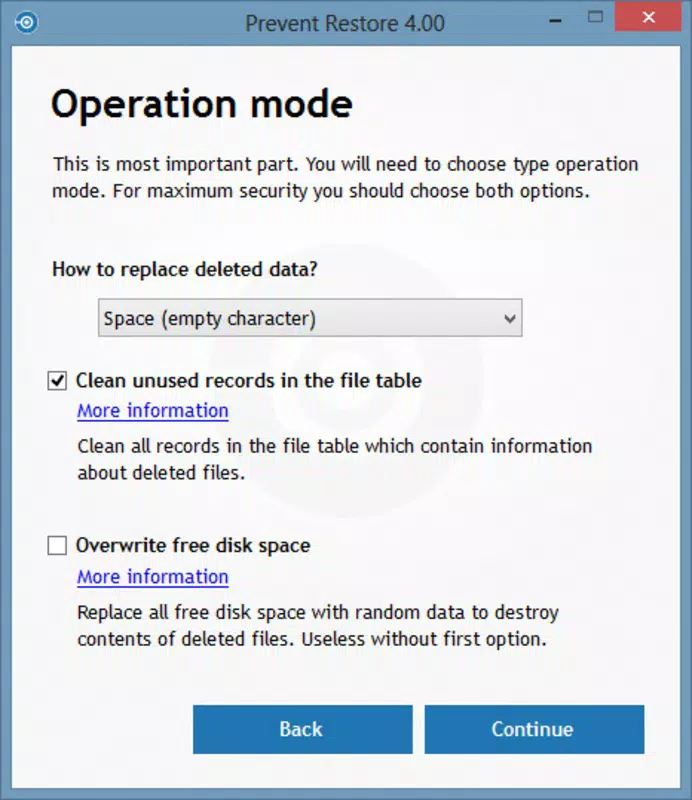
- Complete File Overwriting: Prevent Restore uses multiple overwrite passes, a method proven effective in data erasure standards. Users can select overwrite intensity levels to match their security needs.
- Peace of Mind: By confirming that deleted files are irretrievable, the app offers users confidence that their personal and sensitive data remains private.
For example, a user preparing to sell their Android device can run Prevent Restore to erase all traces of personal data. Similarly, a business employee handling confidential files can use the app to ensure no remnants remain after deletion. The app’s functionality is directly tied to real-world privacy concerns, making it a practical tool for digital hygiene.
Interface, UX & Performance
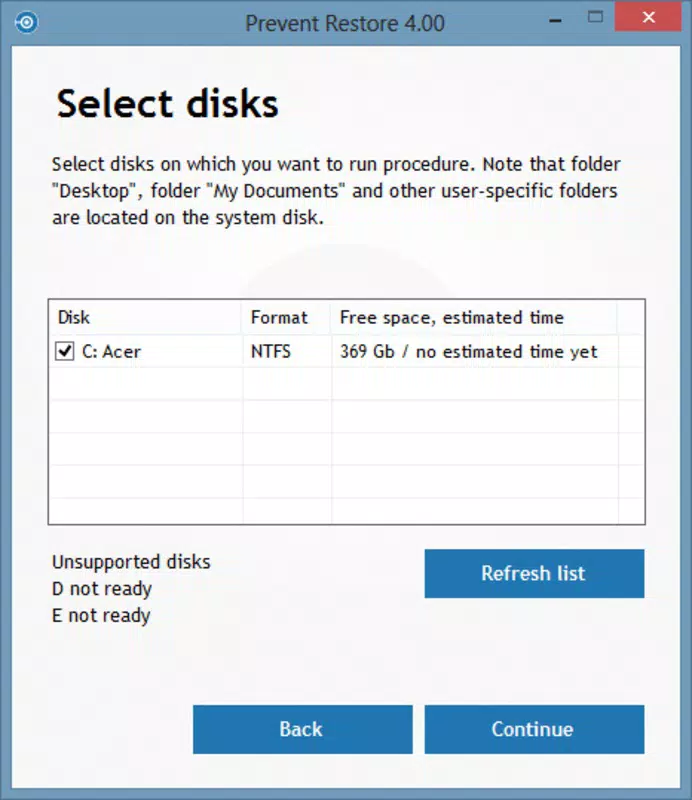
The interface of Prevent Restore is designed with simplicity and clarity in mind. The layout is clean, with clearly labeled buttons and straightforward navigation. Users can initiate the file erasure process with minimal steps, reducing the risk of errors during critical operations.
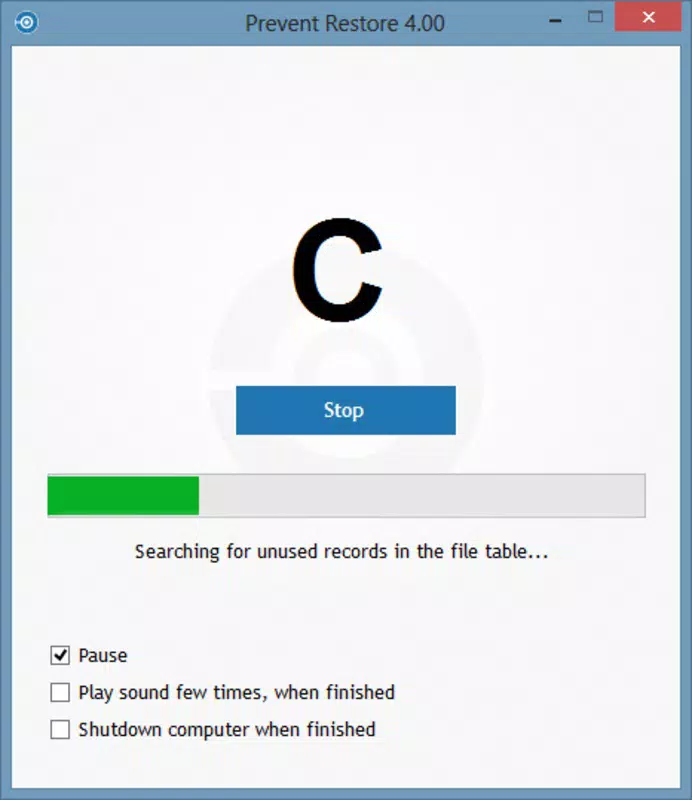
Navigation is consistent across screens, with logical flow from setup to execution. The app does not include complex menus or hidden settings, which enhances usability for non-technical users. Visual feedback is provided during overwrite operations, allowing users to monitor progress.
Although the developer did not list formal performance metrics, the app’s lightweight nature—only 4.5 MB in size—suggests efficient resource usage. It is expected to function smoothly on a range of Android devices, including mid-tier and entry-level models. Responsiveness appears to be adequate, with no reported lag during standard operations.
Stability is a key consideration for security tools. While specific crash reports or error logs were not provided, the app’s minimal footprint and focused functionality indicate a low risk of system interference. The developer did not specify whether background processes are used, but the app likely operates in a foreground mode during active erasure tasks.
Platform Compatibility & Technical Requirements
Prevent Restore is available exclusively on the Android platform. It is compatible with Android devices running version 1.0.1, though specific OS version requirements were not listed. The app’s file size is 4.5 MB, indicating a lightweight design that minimizes storage impact.
Compatibility information was not fully disclosed, so users should ensure their device supports the app’s core functionality. The developer did not specify minimum RAM, processor, or storage requirements. However, given the app’s small size and focused purpose, it is likely to function on most modern Android smartphones and tablets.
Users should verify that their device allows the necessary permissions for file system access, although specific permission details were not provided. The app may require storage access to scan and overwrite data, but no additional permissions were mentioned in the release information.
Pros and Cons
- Lightweight design (4.5 MB) with minimal storage impact
- Simple, intuitive interface suitable for all user levels
- Uses multiple overwrite passes for reliable data erasure
- Focuses on privacy and secure deletion of sensitive files
- Free to download and use with no in-app purchases
- Specific OS version requirements were not listed
- Developer did not provide performance benchmarks or usage statistics
- No integration with cloud storage or other security tools
- Limited customization options for overwrite settings
- Compatibility with older Android versions is uncertain
FAQ
Is Prevent Restore safe to use on my Android device?
Yes, the app is designed to operate within standard Android security boundaries. It requires storage access to perform file overwrites, but it does not access personal data beyond the intended scope of file erasure.
Can I recover files after using Prevent Restore?
No. The app overwrites deleted file locations multiple times, making recovery impossible through conventional or advanced recovery tools.
Does Prevent Restore work on all Android devices?
While the app is built for Android, specific compatibility details were not provided. It is expected to work on most modern devices, but users should ensure their OS version supports the app’s functionality.
Is Prevent Restore free to download?
Yes, the app is available at no cost. There are no in-app purchases or subscription fees.
How often should I use Prevent Restore?
Use the app whenever you want to permanently delete sensitive files or prepare your device for resale. It is recommended to run it after deleting confidential data to ensure complete erasure.
Final Thoughts
Prevent Restore delivers a focused, effective solution for users who prioritize data privacy and security. Its core function—ensuring deleted files cannot be recovered—is executed with precision and simplicity. While the app lacks advanced customization and detailed technical disclosures, its lightweight design and straightforward interface make it accessible to a broad audience.
For individuals and professionals handling sensitive information, this tool provides a reliable method to maintain digital integrity. The ability to overwrite free disk space and perform multiple passes strengthens confidence in data permanence. Although no performance data was provided, the app’s minimal footprint suggests efficient operation across various devices.
Prevent Restore fills a critical gap in mobile security by going beyond standard deletion. It is a must-have utility for anyone preparing to part with a device or managing confidential data. With its free availability and clear purpose, it stands out as a trustworthy tool in the security category.
Download Prevent Restore now


